Recall Invite Planner
Introduction

We have updated our Recall Invite Planner for the QOF year 2026 / 27, and you can download a copy of the planner at the bottom of this article.
The planner will help you identify which reports to use when sending out questionnaires and invites for annual review and monitoring. This video talks you through setting it up and using it.
Set Up the Planner up for your Practice
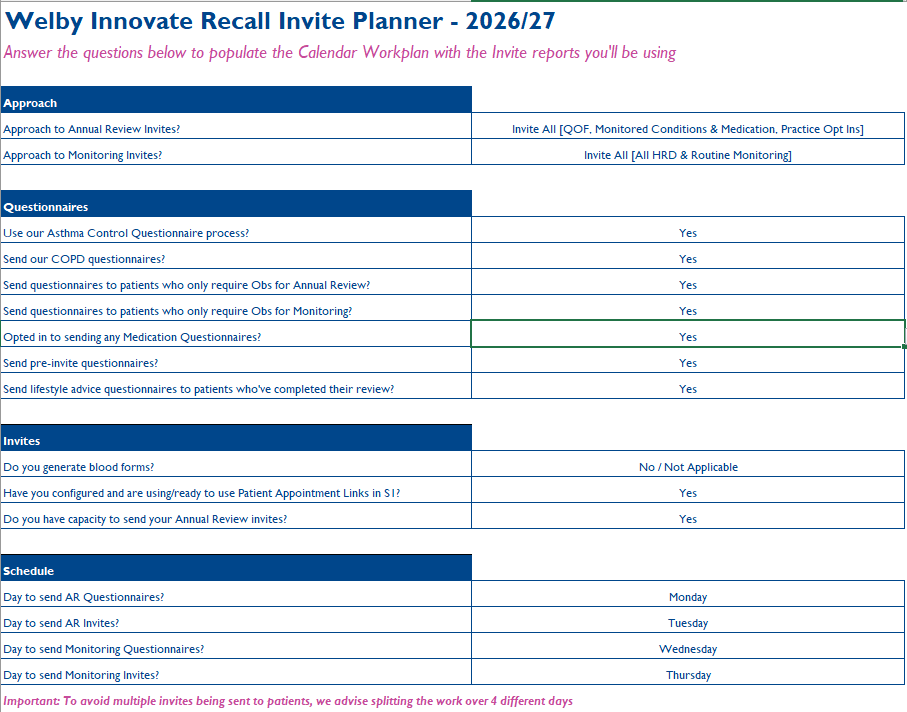
On the pink How you are working tab, select an option for each of the drop-downs to reflect how you want to work in your practice. For example do you want to invite patients for annual reviews for QOF indicators only, or do you want to include all monitored conditions and medications as well as QOF indicators?

Please note you should allow at least one day between running and actioning each section, to ensure that patients do not get multiple invites on the same day.
For example, a patient due their medication monitoring may also be coming up to their annual review. Therefore the system will invite them for the annual review to cover everything, including the monitoring due. If both monitoring and annual review invites were sent on the same day, the patient would get both a monitoring and annual review invitation.
Start Using the Invites Workplan
Once you have set up the planner, the yellow 26-27 Calendar tab will give you an Invites Workplan with details of which SystmOne reports to run on what days.
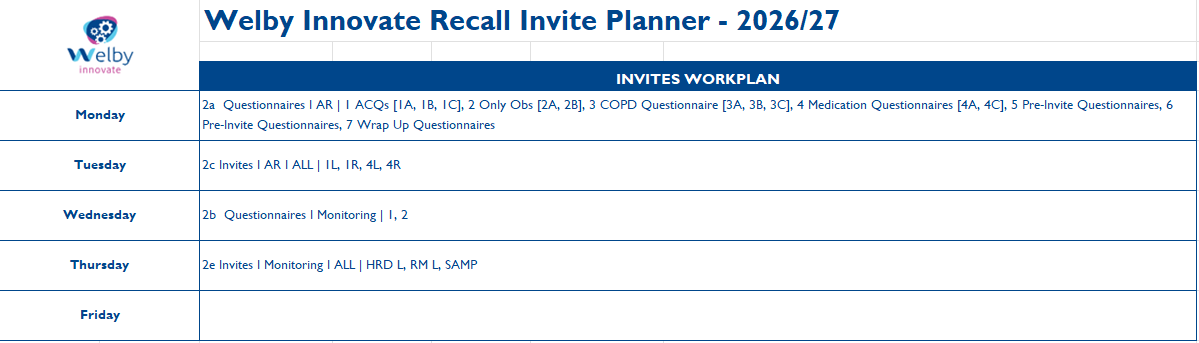
There is a section below the Invites Workplan that highlights the current day in yellow. There is space for you to record that questionnaires / invites have been sent, and add any notes if you need to. If you want to copy and paste the info from the workplan section, paste as values by either using "Ctrl+Shift+V" or right click and select this option:
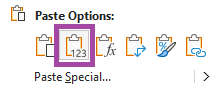
This will make sure your recorded information doesn't change if you later change your setup.
Check the Overview
Finally you should review the blue Overview tab. This includes many other reports that are part of the Recall Module, for example invites for NHS Health Checks and cervical screening. Some of the reports should be run frequently, and some are completely optional, but you should review this tab and decide which you want to use and how often you will run them. There is a column for you to record whether the report is In use? at your practice.
We would recommend setting up Batch Reports in SystmOne for the reports you do want to use, so that they are run at the regular interval you decide on.
For further information on how to action the reports, we have an article and video on this How do I invite patients for annual reviews and monitoring?

Please get in touch if you would like to discuss setting up and using the Recall Invite Planner in more detail.