Prescribing Overview: How to use
Introduction
Managing medication reviews and ensuring that treatment plans are properly coded and tracked is essential for efficient patient care. The Prescribing Overview template in SystmOne helps streamline this process, ensuring accurate record-keeping and minimising unnecessary follow-up appointments. This article explains how to use the template effectively during medication reviews.
Accessing the Prescribing Overview
When a patient is booked for a medication review or discussion:
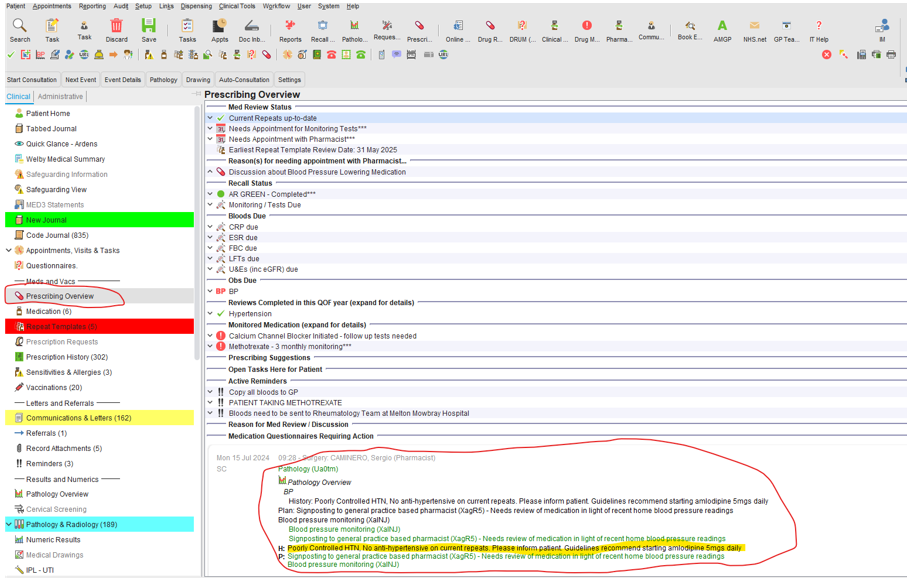
- Go to the Prescribing Overview section on the clinical tree.
- Check the reason for the appointment, ensuring you're aware of what needs to be addressed during the review
Using the Prescribing Overview Template
Once the medication review is complete and all issues have been discussed:
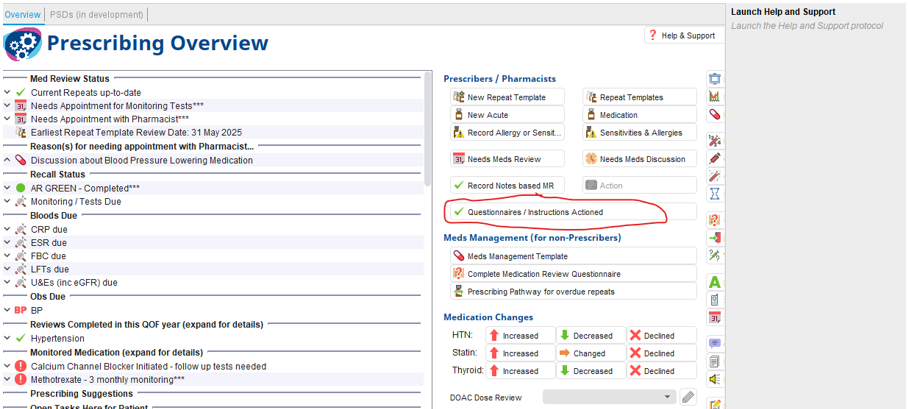
1. Open the Prescribing Overview Template from the top row of large icons.

2. Familiarise yourself with the template layout. Most of the necessary information will be displayed at a glance, making it easier to confirm that everything has been covered during the review.
Actioning the Review
To finalise the review and update the system:
- Use the Questionnaires/Instructions Actioned button. This is critical as it:
- Tells the system that the patient no longer needs to be asked to book another appointment.
- Ensures that the protocol is informed of the completed actions.

Handling Missed or Incorrectly Coded Appointments
In case you miss the reason for the appointment or the coding was done incorrectly:
- A pop-up reminder will prompt you to review the patient’s record again.
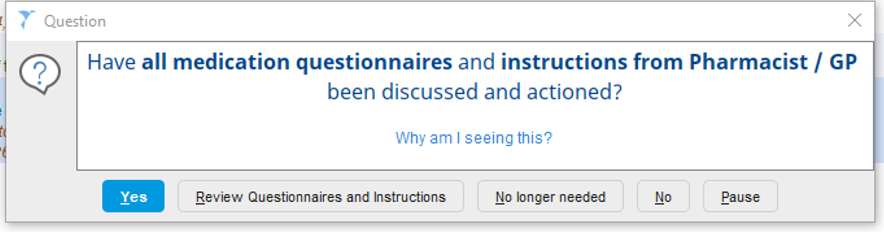
- Options include:
- Yes: Confirms that all actions have been discussed.
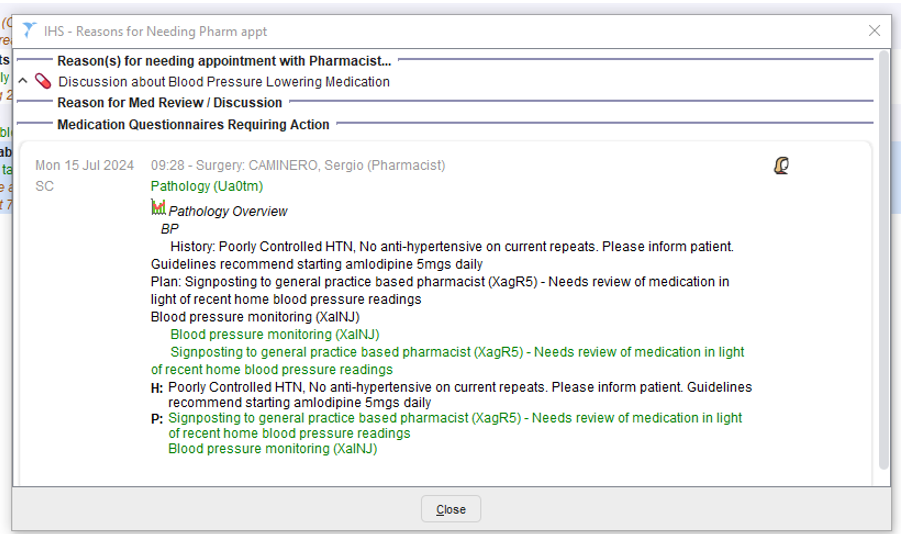
- Review Questionnaires and Instructions: Helps you identify any missing steps.
- No Longer Required: Tells the system that the patient no longer needs to be prompted for a review.
Adding Automatic Consultations and Coding
For different protocols to function smoothly, it's recommended to use automatic consultations that apply the required coding:
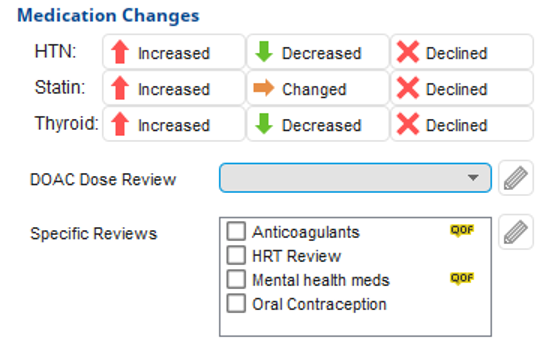
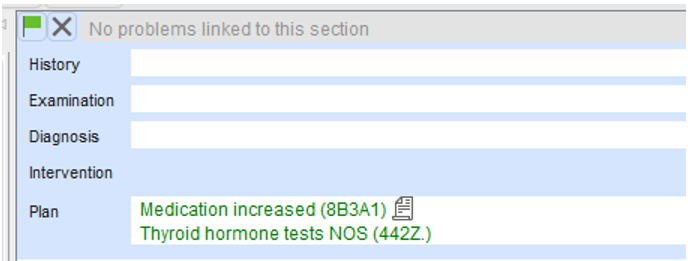
- Example: If you use the Thyroid: Increased button, it will add the correct code to the patient’s record. This will signal the system to schedule repeat thyroid function tests (TFTs) in 6 weeks, and the patient will automatically be called for monitoringusing our recall system.
Benefits of Using the Prescribing Overview Template
- Improved Efficiency: Automatically updates the system to prevent unnecessary follow-up appointments or patient reminders.
- Accurate Record-Keeping: Ensures that all treatment steps and protocols are properly documented, minimising the risk of errors.
- Streamlined Monitoring: By coding actions such as blood tests or medication reviews, the system will prompt future monitoring as needed, without manual intervention.
Conclusion
The Prescribing Overview Template is a powerful tool to help manage medication reviews and ensure that patient care protocols are followed accurately. By using the template, you can ensure that patients aren’t unnecessarily asked to book additional appointments and that their care is properly coded and tracked.

For more help with using the template or any related queries, feel free to contact our helpdesk!