How do I set up and use appointment templates?
Introduction
Appointment templates can be very useful for staff who are booking appointments. Choosing the appropriate template when booking an appointment will add useful text and the correct flag to the appointment.
How do I set up and view appointment templates?
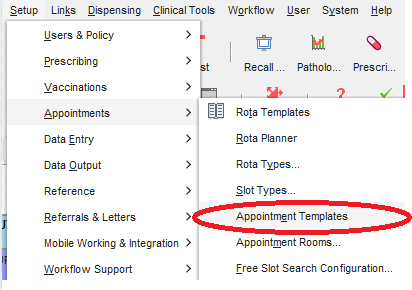
You can view existing templates and setup up new ones from the SystmOne menu Setup / Appointments / Appointment Templates as below.
You should already have these Welby Innovate templates …
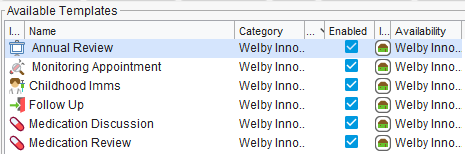
If you click on a template, you will see the detail in the right-hand window. For example the Monitoring Appointment template will add the text '*Monitoring Bloods / Obs - please see Recall Overview template for details' to the appointment and also add the Blood Test flag.
How do I use appointment templates?
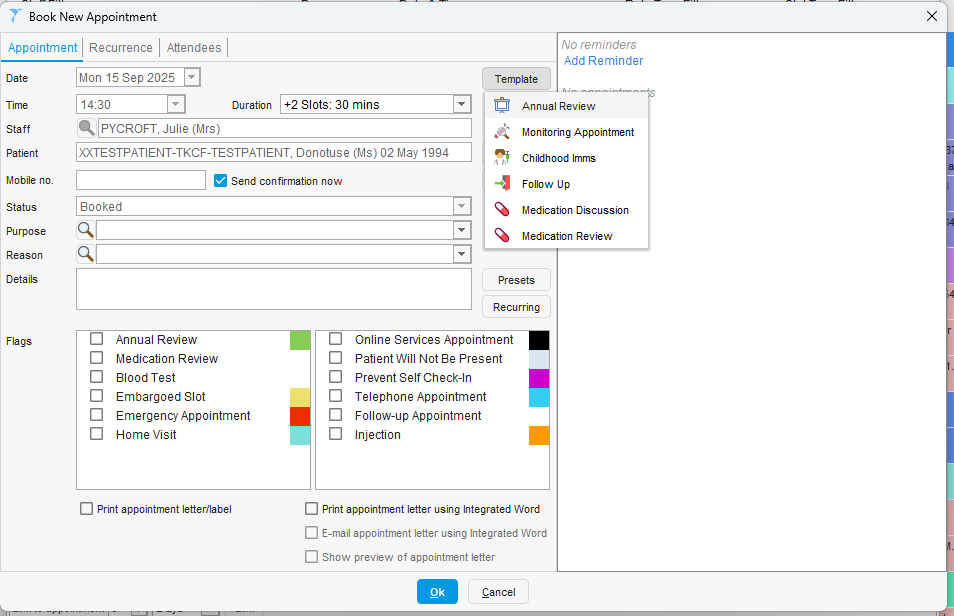
To use appointment templates when booking an appointment, just click on the Template button in the Book New Appointment window, and choose the template you need.