How do I review UKMEC warnings for contraception?
Introduction
Our system identifies patients with a UKMEC score of 3 or 4, indicating that their current contraceptive method may require further review.
To help you identify and review these patients, we provide specific reports that highlight those who need attention. You can also review an individual patient directly from the Prescribing Overview template.
The steps below explain how to find these patients, review the reasons for their UKMEC 3/4 status, and access the information you need to decide on the appropriate action.
Clinical Reports
These are the reports that we recommend reviewing:
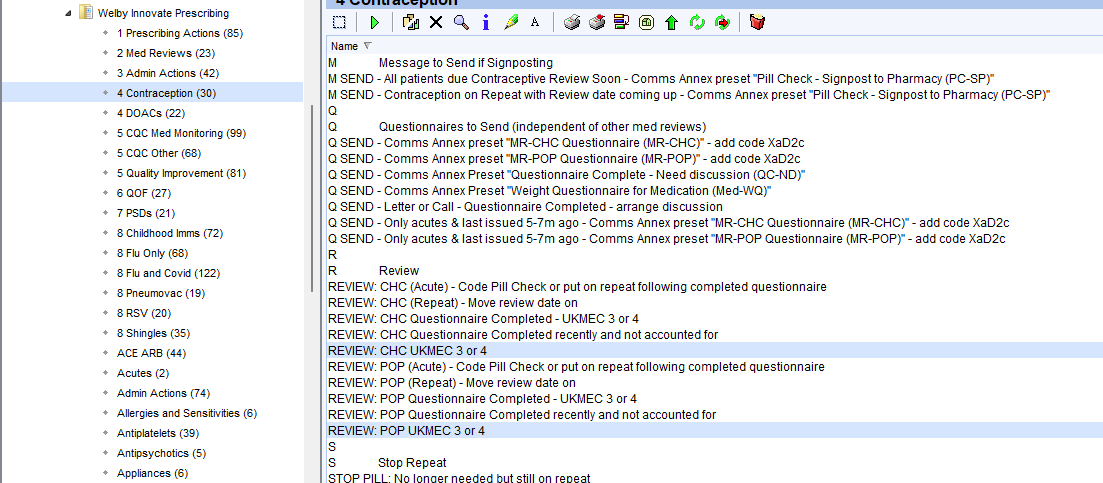

The reports are also available in the folder Welby Innovate Prescribing>1 Prescribing Actions
Reviewing Patients
Here's how you can review these patients:
- On the Contraception page of the Prescribing Overview template, right click and action the UKMEC 3/4 status alert.
- You will then be prompted with a pop-up similar to this:
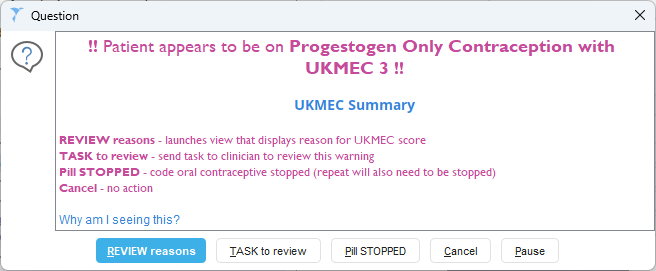
- If you click on the Review Reasons option, you will see the details and reasons, as in this example:

This video also explains the review process.

However please note that in order to reduce the number of status alerts we use, the alerts on the Contraception page no longer show the details as in the video.