How do I review Blood Pressure Targets?
Blood pressure targets are based on the NICE guidance Recommendations | Hypertension in adults: diagnosis and management | Guidance | NICE, unless a patient has a personalised target coded.
Setting Targets in Bulk
If you want to set personalised targets for certain patients, we've built some reports to identify patients who may require a lower target:

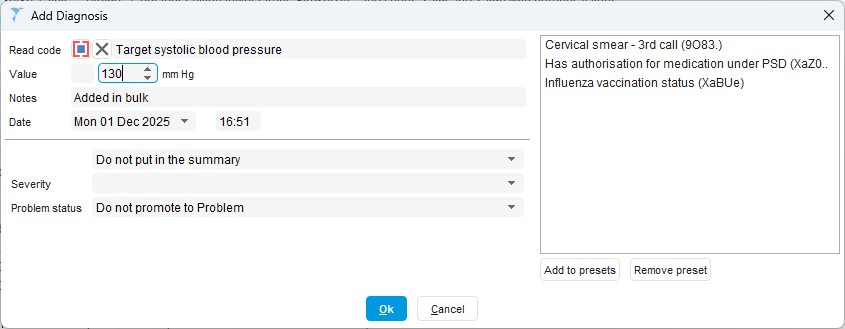
To set a personalised target for all patients in a report in bulk, follow the normal steps to bulk add a code, pick the codes for numeric targets, and enter the target:
Reviewing or Setting Targets on an Individual Patient
On the BP page of our pathology template, you can see a patient's target and the reasons for that target. If a patient has a personalised target, it is displayed along with what the patient's target would otherwise be. For example:

The personalised targets are always treated as clinic targets. If you want to override the personal targets, you can either code a new target or click the button to clear previously coded targets:

Given the importance of accurate BP targets, we recommend running these reports and reviewing targets that are older or where patients have had diagnoses since that might change their target.
